Know your results. Review every hand.
Hand replayer, variance calculator, equity calculator and bounty calculator for PKO & Mystery – import your hand histories and dive deep into your data.
Free during the beta. No account needed.
Everything you need for the review
Download your hand histories and tournament summaries, click Import – and see what really happened.
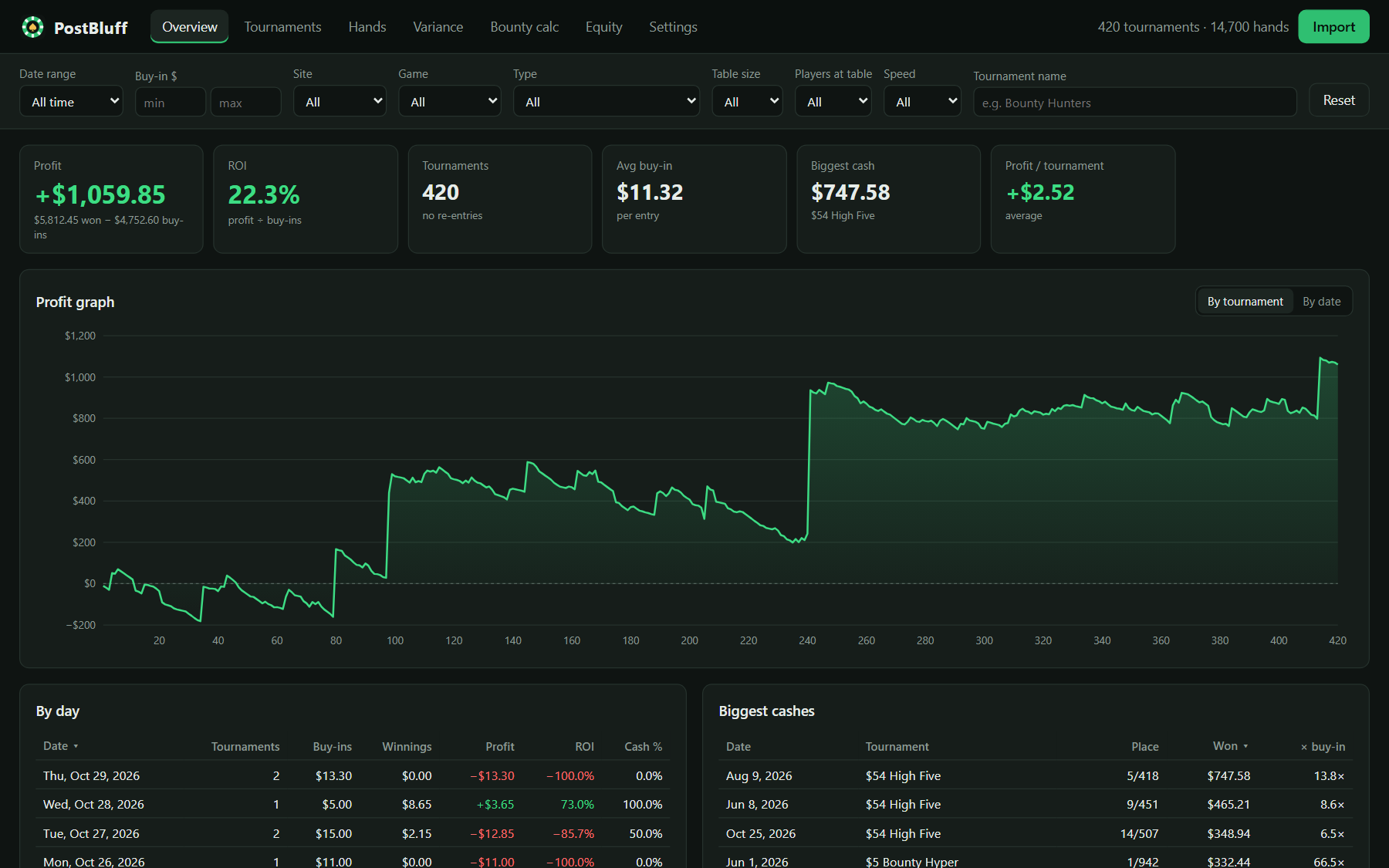
All your results at a glance
Profit, ROI, average buy-in, biggest cashes and a profit graph by tournament or by date.
- Filter by date, buy-in, format, table size and speed
- Compare your PKOs with your freezeouts in two clicks
- See where your tournaments end: wins, final tables, bubbles
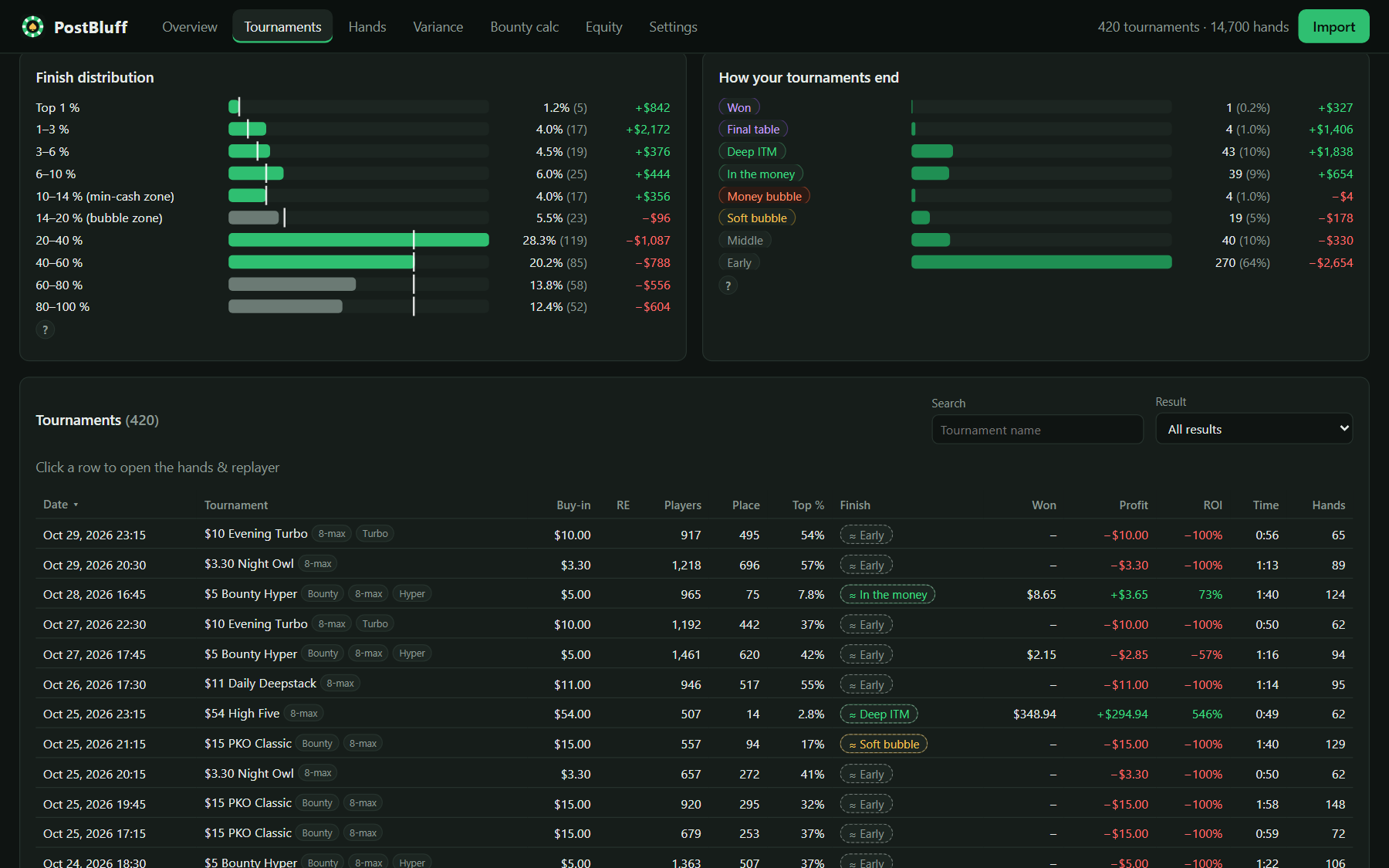
A replayer built for review
Step through every hand action by action or street by street, in big blinds or chips.
- Star the hands you want to review later
- Jump from the stack graph to the hand that mattered
- Set up any spot yourself and play it out
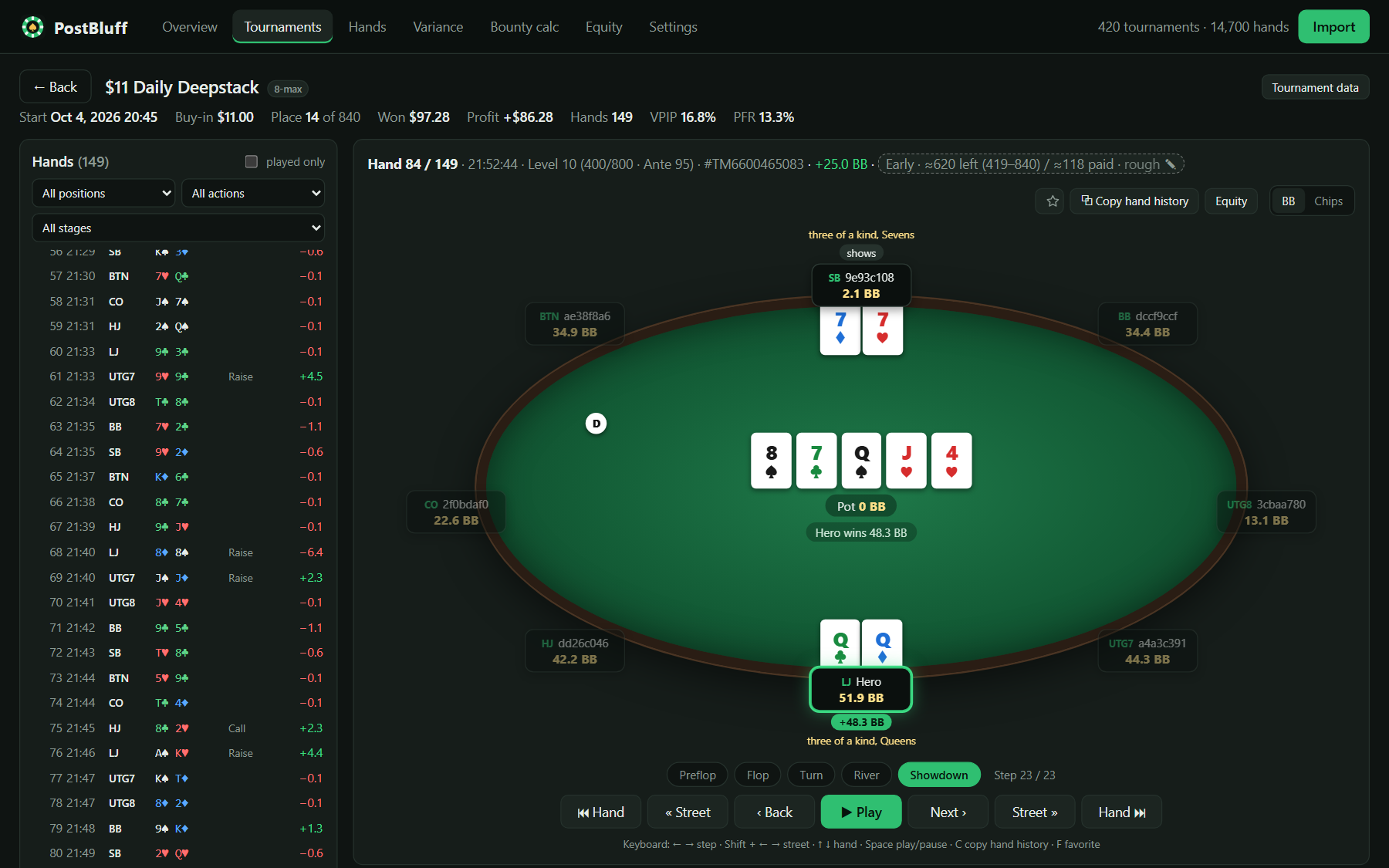
Stats with clear definitions
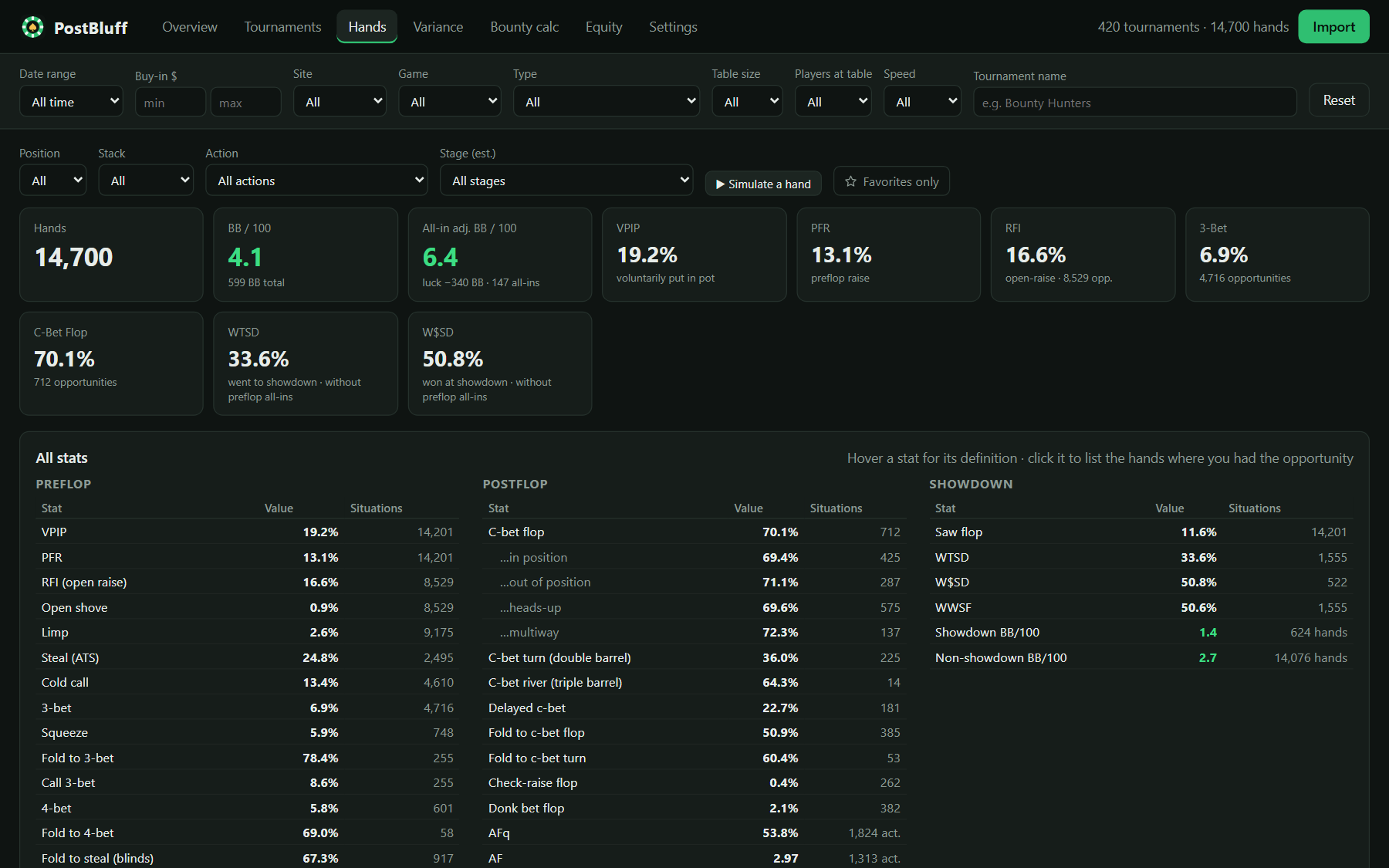
VPIP, PFR, 3-bet, c-bet, fold to steal, WTSD and many more – each explained, each clickable to show the hands behind it.
- Results by position and stack depth
- 13×13 starting-hand grid
- All-in EV line that takes run-out luck out of the graph
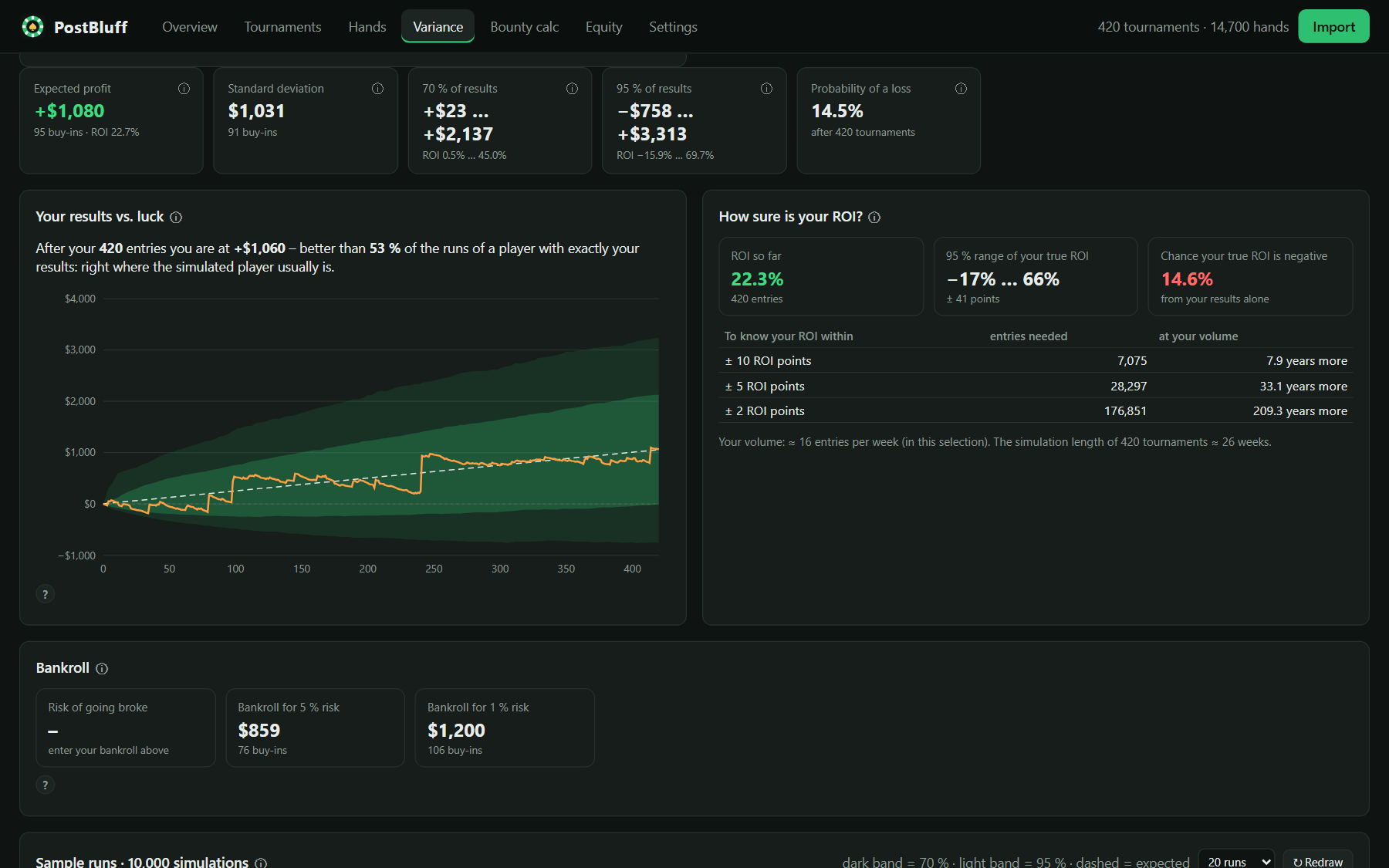
Variance, without guesswork
How big can a downswing get with your results? Simulate them thousands of times – or test any ROI on your real tournament mix.
- Typical ranges and downswing odds
- Longest stretch without a new high (breakeven stretch)
- Clearly labeled as simulations
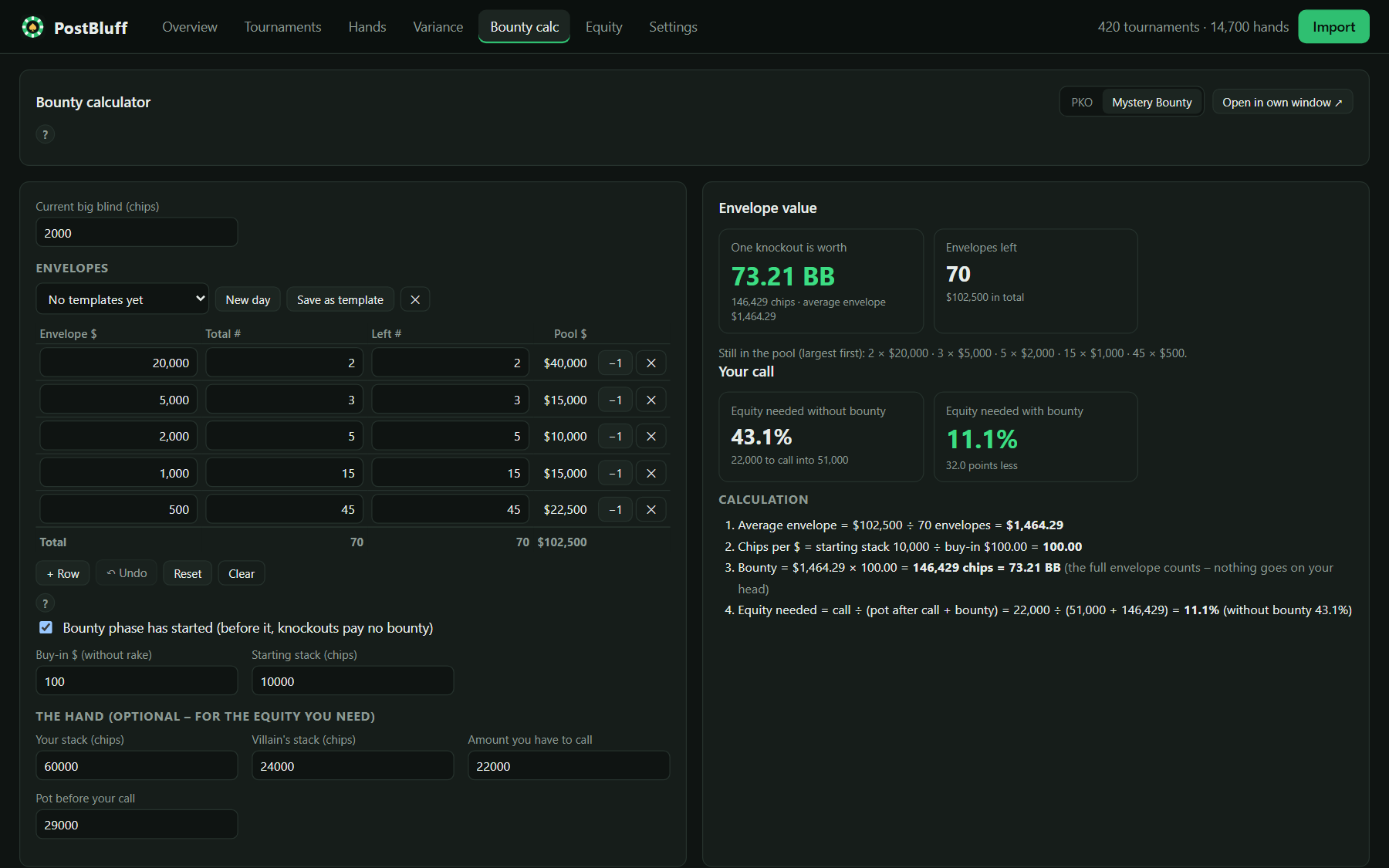
PKO & Mystery Bounty calculator
Type in the tournament numbers and see what a bounty is worth in chips and big blinds, step by step.
- Enter the Mystery Bounty envelope structure like a small spreadsheet
- Templates for the tournaments you play every week
- Every step of the math shown
- Prepare before you play or check spots afterwards – it never runs with the poker client open
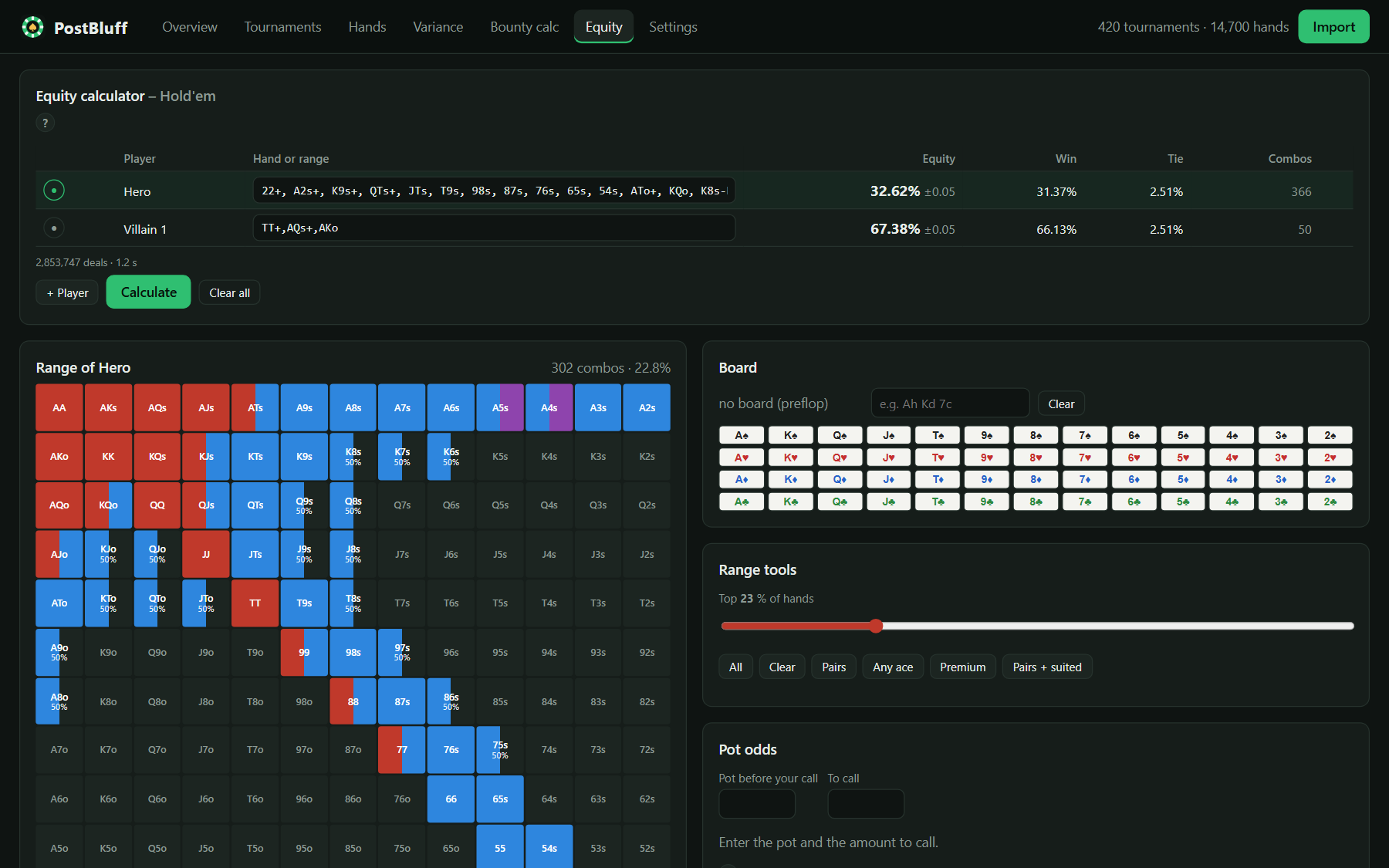
Equity with ranges you can paint
Hands or ranges for up to six players, with an optional board. Paint ranges in your own colors – with mixed frequencies like 50% raise, 50% call.
- Heat map of every hand's equity
- Open any hand from the replayer with one click
Designed around GGPoker's rules
PostBluff has one job: studying your tournaments after you have played.
- Never runs alongside GGPokerIt won't start while the client is open – and closes itself when GGPoker starts.
- Only reads your downloaded filesHand histories and tournament summaries from PokerCraft. No live data, no watching of the client's folders.
- Never touches the clientTo know whether GGPoker is running, it only checks the names of running programs.
- Your data stays with youEverything runs on your PC. Nothing is uploaded.
What PostBluff is not
- Not a HUD
- Not a real-time assistant
- Not a promise of better results
Designed around GGPoker's rules for third-party software (October 2026). Poker sites can change their rules at any time – you are responsible for following the rules of the site you play on.
Three steps to your review
Download
Get your hand histories and tournament summaries in PokerCraft. ZIP files are fine.
Close GGPoker
Start PostBluff from your desktop once the session is over.
Import & review
Click Import – your results, hands and stats are ready in seconds.
Questions
How does PostBluff follow GGPoker's rules?
It only works with the hand histories and tournament summaries you download from PokerCraft, never runs at the same time as the GGPoker client – so none of its calculators is available while you play – and gives no real-time advice. Rules can change, so please check GGPoker's current terms yourself.
Why does it close when I open GGPoker?
On purpose. GGPoker's terms don't allow third-party poker software to run while the client is open. PostBluff steps aside automatically, so you don't have to think about it.
Where are my hands stored?
Only on your PC, in PostBluff's own folder. Nothing is uploaded. Your settings can be exported to a file with one click.
What do I need?
A Windows 10 or 11 PC. Download the installer and double-click it – it needs no admin rights and can be removed any time in Windows Settings → Apps. During the beta Windows may show "Windows protected your PC": click "More info" → "Run anyway".
Which poker sites are supported?
GGPoker at launch. More sites are planned.
Which games and formats are supported?
GGPoker tournaments: NL Hold'em and PLO, freezeouts, PKO, Mystery Bounty and satellites. The equity calculator is for Hold'em.
Are all numbers exact?
Results from your summaries are exact. Some values can't be read from the hand histories – for example how many players were left in the tournament at a given hand. These are estimated and always marked with "≈". Variance results are simulations.
What about tournaments in other currencies?
They are converted to $ with exchange rates you can change – and you can add your own currencies.
Will it make me a winning player?
No tool can promise that. PostBluff shows you your own results and hands clearly, so you can study them.
What does the beta include?
Every feature on this page. Your feedback shapes what comes next, and your imported data is kept when you update to a new version.
What will it cost?
The beta is free. Pricing for the full version will be announced before launch – beta testers hear first.

Play your session. Close GGPoker. Then find out what really happened.
The free beta opens soon. Join the waitlist – we'll email you when your spot is ready.
Opens an email to postbluff@gmail.com – just send it. No account, no form.